16 Jan 2026 - Stephen Parsons
My nephew wants an octopus house in our family Minecraft server, so he’s gonna get one. Specifically, a glowing sucker octopus would be preferred.
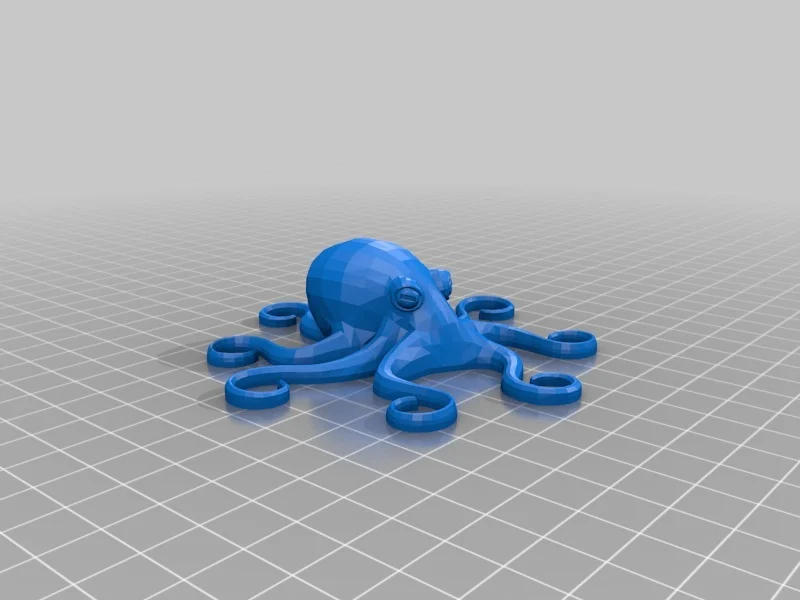
Plan A was I figured I’d find a 3D octopus model online, voxelize it, and then build it in Minecraft with the right colors to make it a glowing sucker octopus. Thingiverse has plenty of octopus models that would do the job:
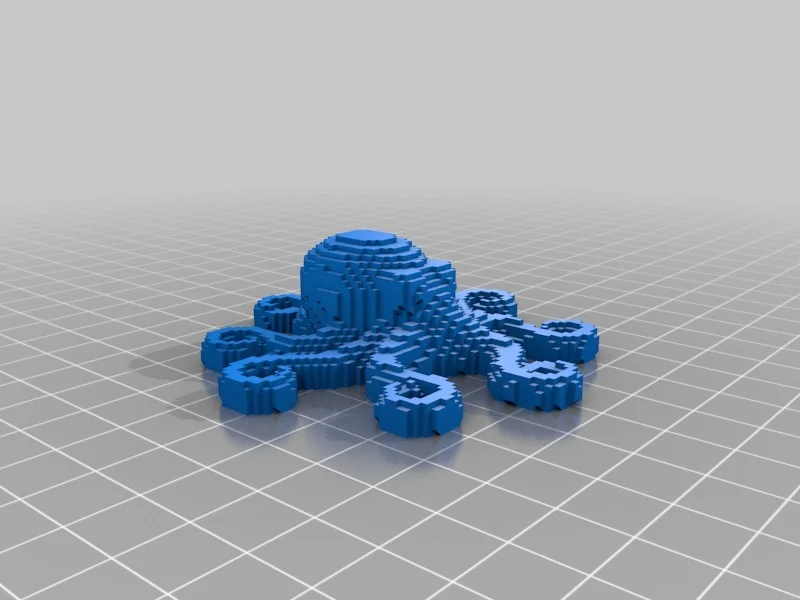
Some of them are even pre-voxelized, so this was looking like it was going to be pretty easy:
Glowing sucker octopuses are new to me (that’s what five-year-old nephews are for, to teach us new things about the world) so I started with an image search for some inspiration. There are many great photos of glowing sucker octopuses online, but one of them immediately jumps out as the coolest one:
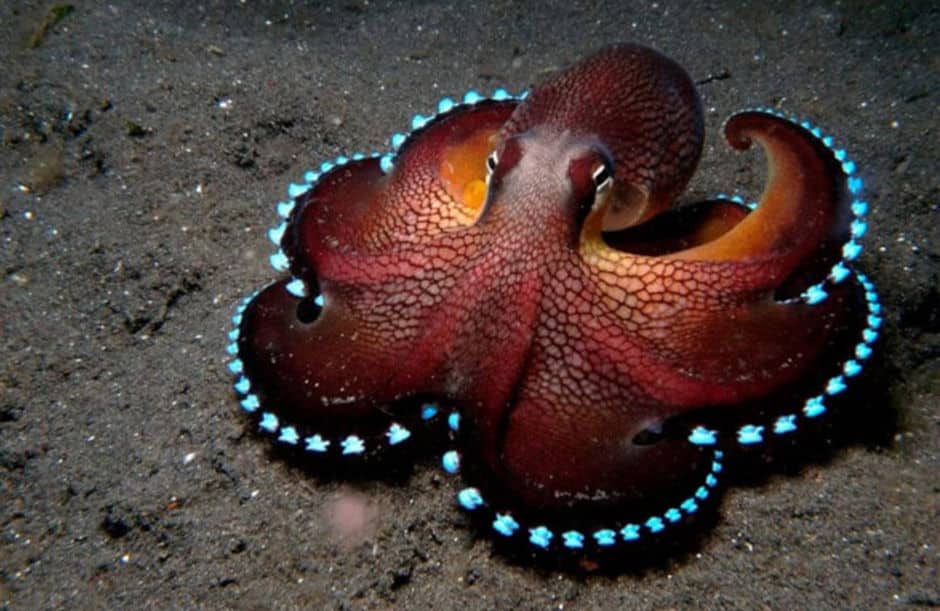
This photo is so incredibly cool that I had to throw Plan A out the window. I can’t just have a generic octopus with glowing suckers after seeing this. I need this very specific octopus for my nephew’s house. Look at that pose! Are you kidding me?
I spent last night toying with a few options for getting a 3D voxel design of this octopus and not getting very far. As one example I asked Nano Banana for orthographic views of this octopus so I could trace over them and then map my drawings onto grids:
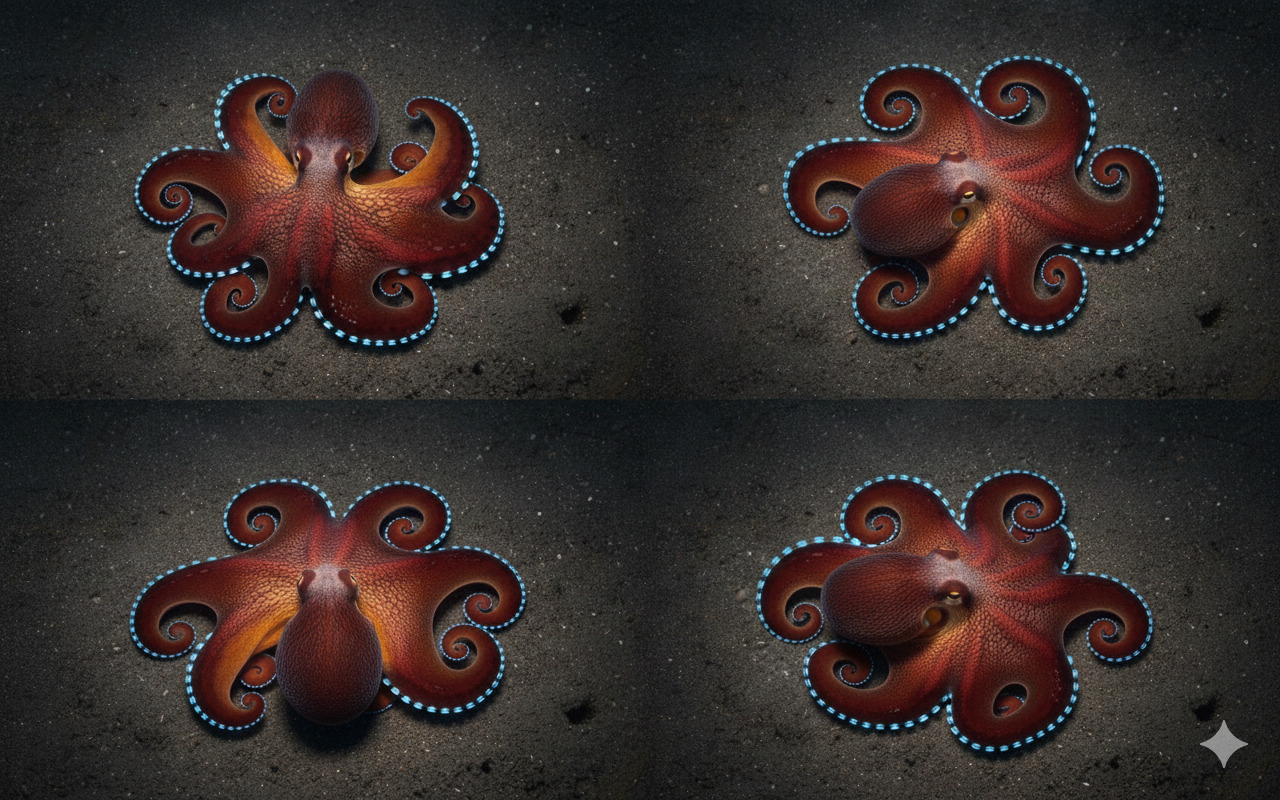
Pretty, but not useful. Not orthographic views, for one thing. Plus they’re inconsistent with each other and have mostly reverted to a generic “octopus” shape rather than this specific pose.
After a few false starts like this, I was ready to break out the pencil and graph paper for a days-long design phase.
This morning as a Hail Mary I figured I’d try the latest image to 3D models to see what they’d come up with. Having done this a year or so ago for another project (more on that below), I wasn’t holding my breath.
Using the free credits with a new account on Meshy and their latest Meshy-6 model, this is the first result I obtained:
I’m stunned by the result. The model has successfully filled in parts of the octopus occluded in the single provided image while also staying true to the pose in the reference image - not hallucinating too far into “generic octopus” territory. The texture looks great too, again even in places not pictured in the reference image such as the bottom of the octopus. It’s not perfectly symmetrical, a feature I want in the octopus house, but that is easily addressed in post below. [edit: I’ve also since discovered you can just turn symmetry on in the Meshy output settings!]
Other models I tried were more in line with my expectations. For example, here’s the output of Stability AI’s Stable Fast 3D (SF3D):
It’s honestly quite impressive given a single image input. It’s also fast, as advertised, generating this example in one second. I think I could have used parts of this mesh to bootstrap a Minecraft octopus design. That said, it’s clearly not on par with the Meshy-6 output.
I tried a few other available models with similar results. They tend to get the shape wrong and/or lean heavily on “generic octopus” which undoes the elegance of this particular pose.
Starting with the Meshy-6 output mesh, it was straightforward to generate a plan for the octopus house in Minecraft.
Arjan Westerdiep’s voxelizer made quick work of the voxelization, including allowing me to specify the target size:
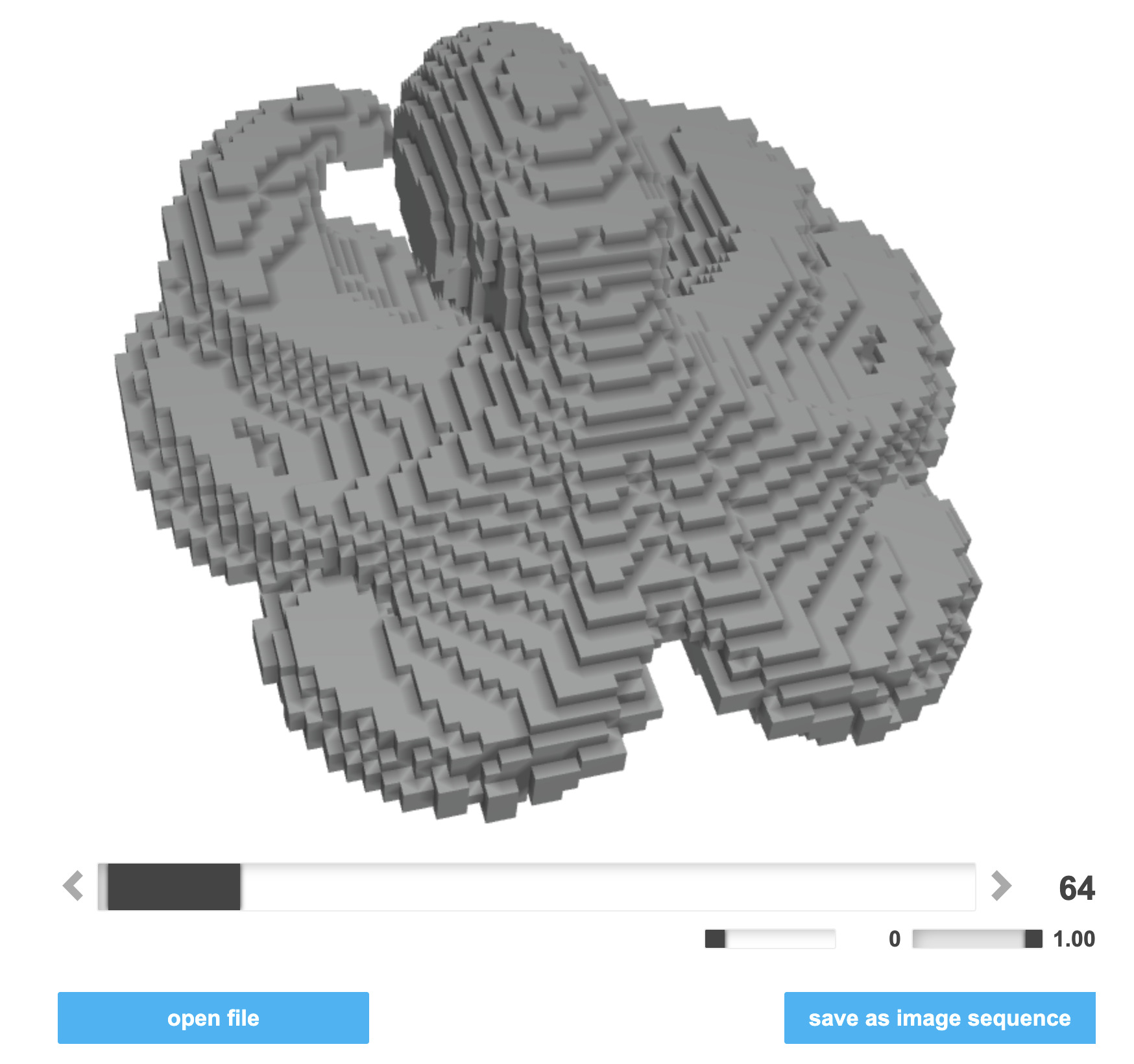
After downloading this voxelized version as an image sequence, I mirrored the right half of each image onto the left, making the model symmetrical, and then compiled it into a PDF rendering each image plane onto a grid with every eighth guideline bolded. Claude Code (with Opus 4.5) managed this in one shot. I printed it out and now I’m ready to build:
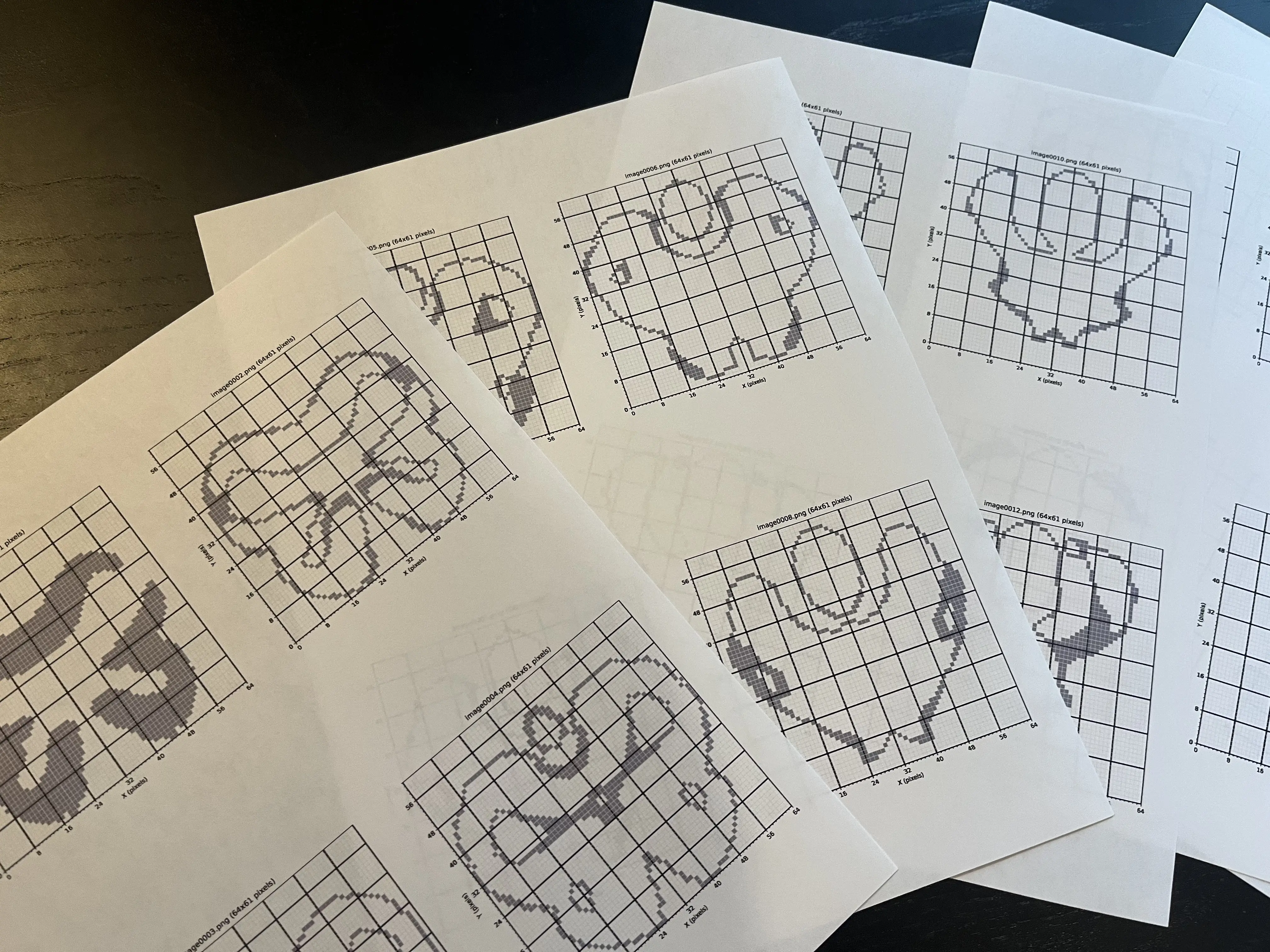
The family server is a survival server, so we’ll see if/when I finish this. Stay tuned.
As with other ongoing AI progress, I’m both thrilled by this and Having Feelings™ about it. But I can think about that tomorrow. To the mines!
If you’re in my F1 fantasy league and wondering where the trophy is that I said I would make a year ago, I’m working on it. Forget you saw this section.
I mentioned above that I tried image to 3D models about a year ago and wasn’t too impressed. Here’s more about that.
For reasons, I wanted a 3D model of Guenther Steiner, the former team principal of Haas Formula One Team. Here’s the input image I used:

I used InstantMesh from Tencent’s Applied Research Center via the provided Hugging Face Space (seems broken at the time of posting but worked fine then). Here’s the result I obtained:
Obviously this is pretty derpy. The model doesn’t have much in the way of detail, as seen in his mitten hand and pancake head. The texture is low resolution at best. I have to say though, I do kind of love it. I may or may not be using this one no matter how well the current models do.
To compare, here’s how Meshy-6 does today:
I’ve disabled the texture by default to show the model shape. In many ways, very impressive! There are certainly many more details, and the hands and face look pretty good. It looks a little more like General Leslie Groves to me than Guenther Steiner, but the texture should help. There are some funny hallucinations - it has extended significantly below the reference image, adding his other arm and hand as well as a bizarre set of shapes at the bottom. It looks like it might be trying to make a tabletop figurine?
When seen with textures on (can check “Show textures” above), this pattern is continued. The details are much better than a year ago, in particular on the parts of the model included in the reference photo. When viewed from the angle of the photo, it’s an excellent match. Elsewhere, comical and nonsensical hallucinations are present, but these could be cut out.
I tried an older Meshy model, too, in case it’s been great this whole time and I was just using the wrong model in InstantMesh a year ago. Meshy-4 would have been their latest model around then. Here’s how it does:
The hand has fingers this time, but overall it’s comparable to the InstantMesh result (and worse in some ways, like being full of holes).
Conclusion: the state of the art for image to 3D models indeed seems to have improved dramatically over the last year or so.